Google Business Profile Categories: How to Choose the Right One
Your primary category is one of the biggest factors in how you rank on Google Maps. Here's how to choose the right Google Business Profile categories — with examples.
If you had to fix just one thing on your Google Business Profile to rank higher, it would probably be your category. It's one of the single strongest signals Google uses to decide which searches you show up for — and it's one of the most common things local businesses get wrong. Pick the right primary category and you tell Google exactly who to show you to. Pick a vague or wrong one and you quietly disappear from the searches that matter most.
Here's how categories work, and how to choose the right ones.
What Google Business Profile categories actually do
Your categories tell Google what your business is, which determines what people you appear for. When someone searches "emergency plumber near me," Google looks hard at which nearby businesses have a category matching that intent. If your primary category is "Plumber," you're in the running. If it's the vaguer "Contractor," you may not be.
There are two kinds:
- Primary category — the single most important one. This carries the most weight and should describe your core business — the main thing you want to be found for.
- Secondary categories — additional ones covering the other services you offer. These help you show up for related searches without diluting your primary focus.
Why your primary category matters most
Think of your primary category as your headline. It's the strongest statement of what you do, and Google weights it accordingly. A hair salon whose primary category is "Hair Salon" will consistently outrank one that chose the broader "Beauty Salon" for haircut-related searches — because the category matches the intent more precisely.
The lesson: be specific. Google offers thousands of categories, many surprisingly narrow. There's often a more exact category than the obvious broad one, and the more precise match usually wins.
How to choose your primary category
Work through these steps:
Describe your core business in plain words. What's the main thing customers come to you for? Not everything you offer — the core. A restaurant that also does catering is primarily a restaurant.
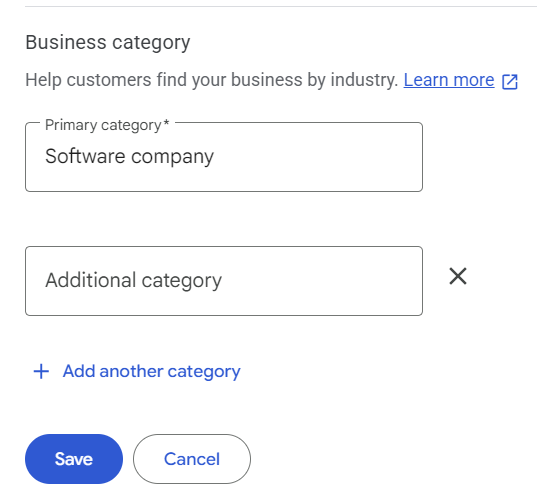
Search Google's category list for the most specific match. When you edit your profile, start typing and Google suggests categories. Try several phrasings — "Mexican restaurant" is more specific (and better) than just "Restaurant" if that's what you are.
Check what your top competitors use. Look at the businesses ranking above you in the local pack for your key searches. Google shows a business's primary category on its profile. If the top-ranked competitors all use a category you don't, that's a strong hint.
Pick the single best match — resist going broad. When torn between a specific category and a broad one, the specific one almost always serves you better. Broad feels safer but performs worse.
Choosing your secondary categories
Once your primary is set, add secondary categories for your other real services. A day spa's primary might be "Day Spa," with secondaries like "Massage Therapist," "Facial Spa," and "Waxing Hair Removal Service" — each helping it appear for those specific searches.
Two rules:
- Only add categories that genuinely apply. Adding irrelevant categories to "cast a wider net" can hurt you — it muddies what Google thinks you are.
- Don't overload. A handful of accurate secondaries beats a long list of loosely-related ones.
A common mistake to avoid
The biggest category error is choosing too broadly out of caution. Owners worry a specific category will limit them, so they pick a general one to "cover everything." It backfires — the broad category matches fewer searches precisely, so you rank for less, not more. Specificity is your friend here.
The second common mistake: setting it once and forgetting it. As Google adds new, more specific categories over time, a better match for your business may appear. It's worth revisiting occasionally.
Frequently asked questions
How many categories should I have?
One well-chosen primary, plus a handful of genuinely relevant secondaries. Quality over quantity.
Can I change my primary category later?
Yes — you can update it any time in your profile. If you suspect a more specific category fits, test it.
Does my category affect how I rank on Google Maps?
Significantly. Your primary category is among the strongest factors in which searches you appear for, so getting it right is one of the highest-impact things you can do.
Get every step right
Your category is one of the most important pieces of a strong profile — but it's one piece. Our free Google Business Profile Optimization Checklist walks you through all of it, step by step, so nothing gets missed. And if you'd like your reviews and marketing handled automatically once your profile is dialed in, that's what GrowthRadar does for local businesses.